
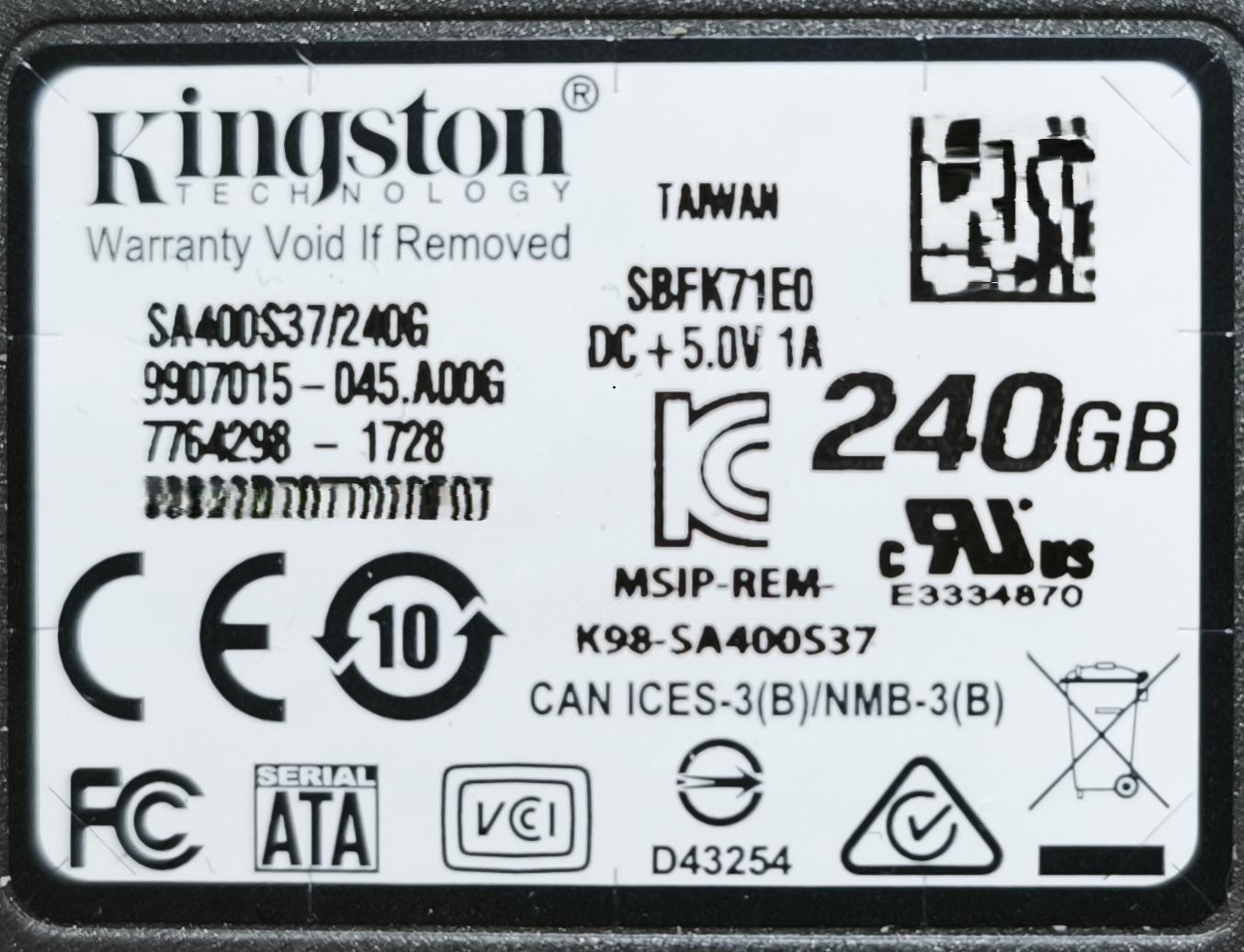
A 240 GB Kingston A400 SATA SSD identified itself as SATAFIRM S11 instead of its normal model name. Its stored data could not be accessed in the usual way. Recovery using PC-3000 Portable III and Data Extractor achieved an approximately 98% recovery result.
- Drive
- Kingston A400 · 240 GB
- Model
- SA400S37/240G · SATA SSD
- Controller family
- Kingston CP33238B / Phison PS3111
- Reported symptom
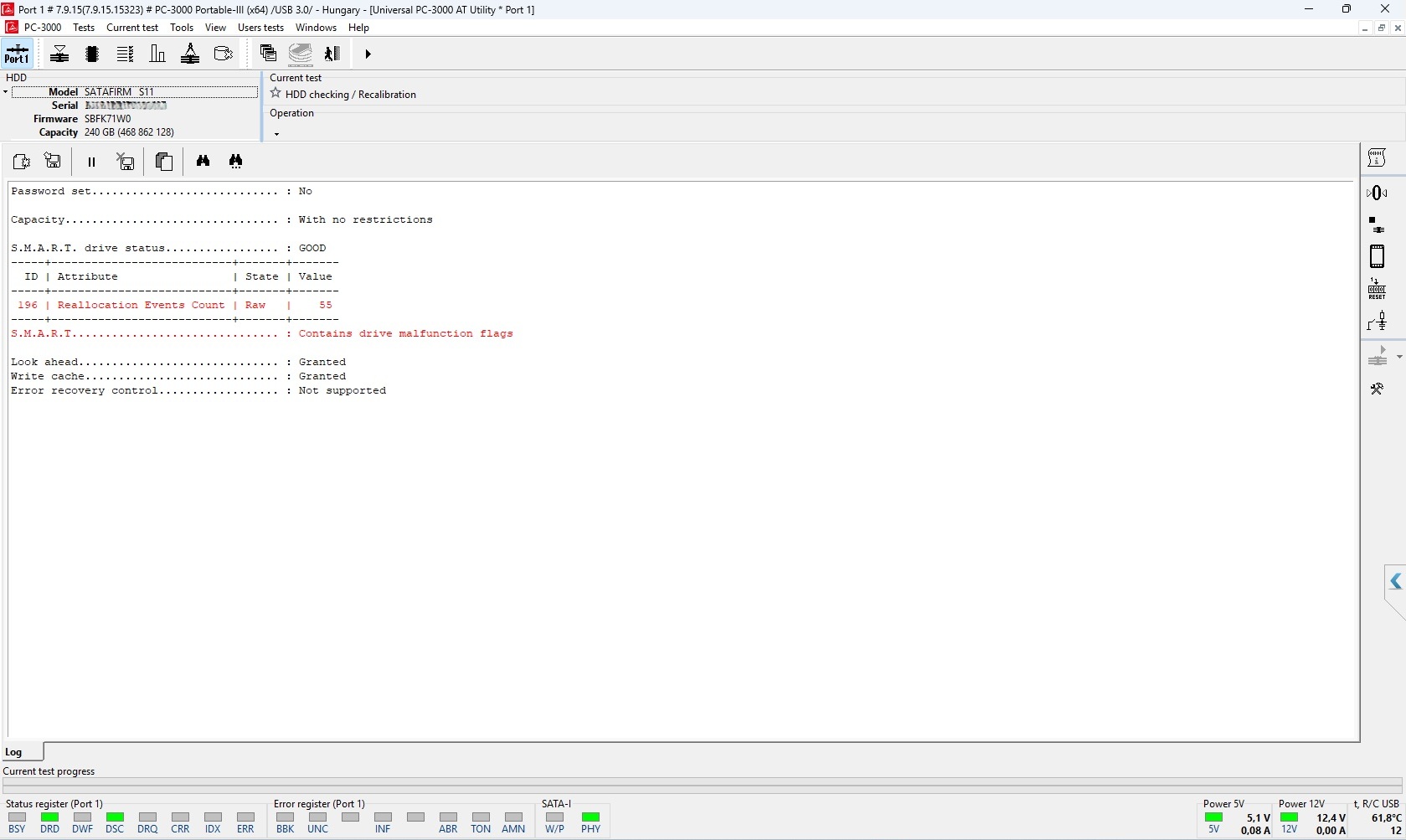
- SATAFIRM S11 identification
What does SATAFIRM S11 mean?
SATAFIRM S11 is not the Kingston drive’s actual model name. On the Phison S11 controller family, this identification is associated with an abnormal operating state in which the SSD may still respond to a computer while access to user data is disrupted. A drive appearing in the BIOS or in a diagnostic tool does not therefore mean its files are accessible.
An SSD needs internal controller information and address translation as well as the data stored in its memory chips. In plain language, the controller must also know where to find each piece of a file in the memory. A disruption to this process can require professional, controller-specific recovery methods.
The diagnostic screenshot shows a “GOOD” S.M.A.R.T. summary alongside a drive-malfunction warning. Our assessment therefore considers the drive identification, controller state and actual access to the data together, rather than relying on one status label.
Targeted access using PC-3000 Portable III
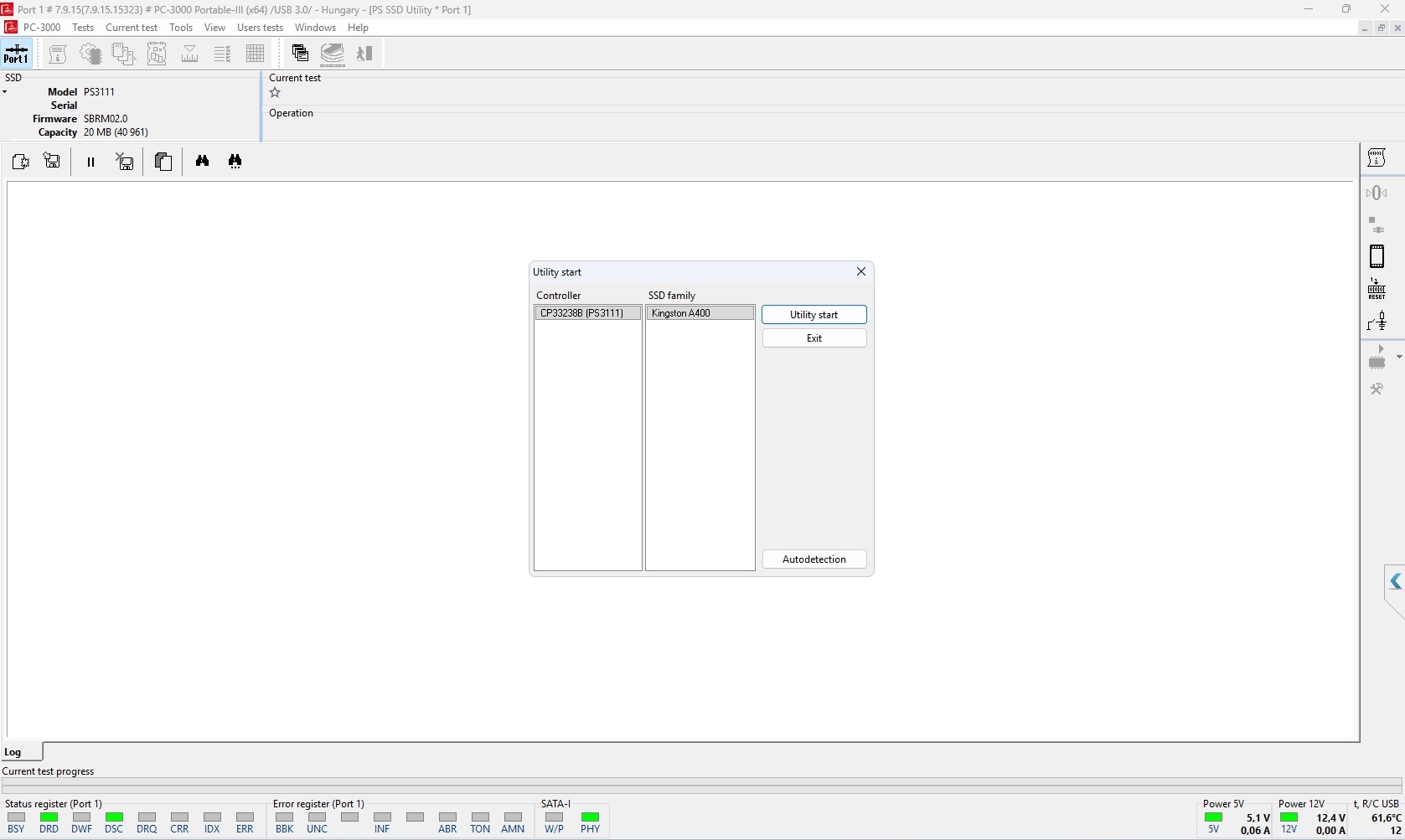
For this case, we recorded the SATAFIRM S11 identification and continued with the PC-3000 utility suited to the Kingston A400 and Phison PS3111 controller family. The objective was to establish controlled access to the data area and read the stored information.
A specialised service mode and the appropriate recovery equipment allow us to investigate operating states that a general-purpose file recovery application cannot handle. The PS3111 service identification and temporary capacity value shown in the screenshots are not the same as the drive’s nominal 240 GB user data area.
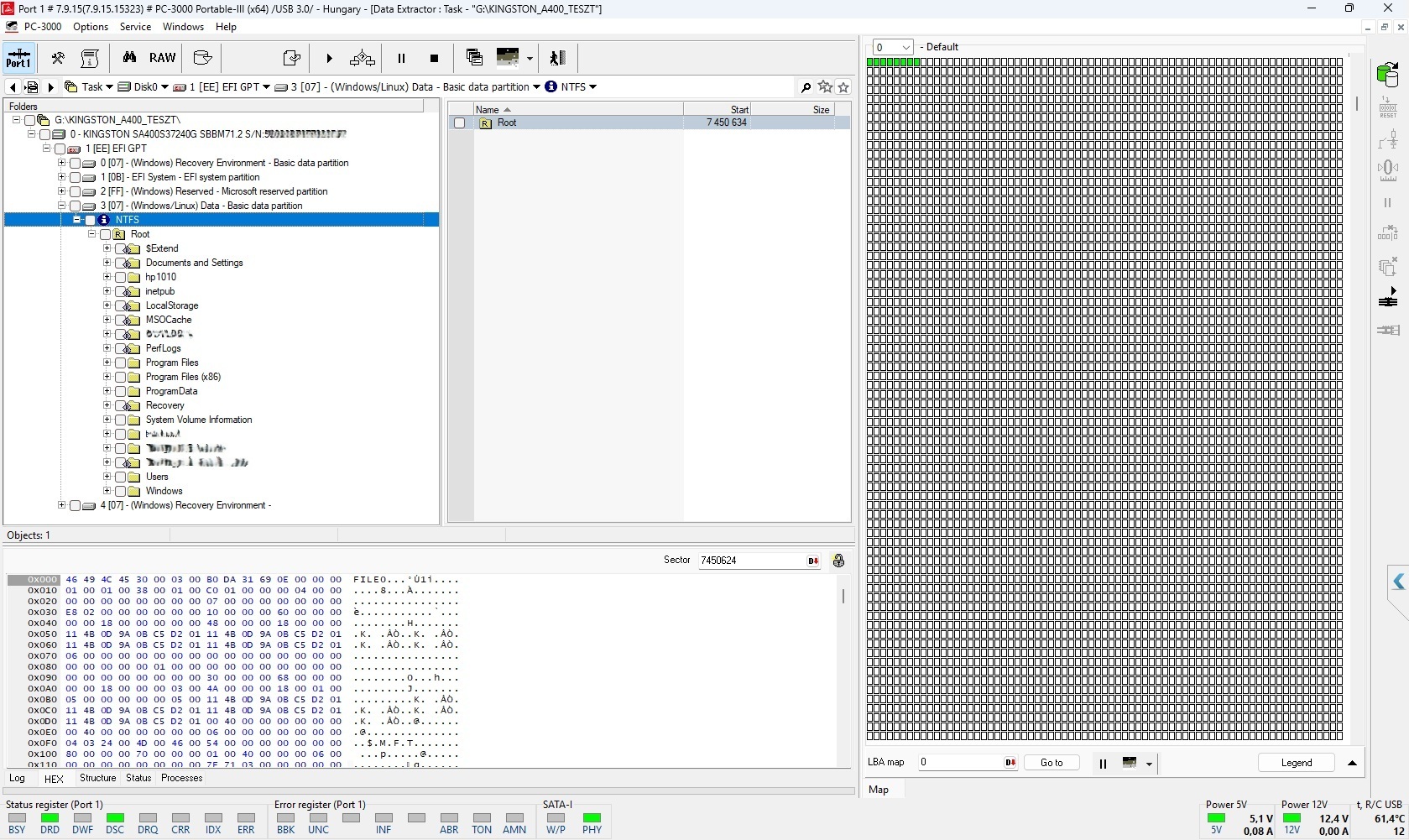
Once access had been established, Data Extractor displayed the GPT partition structure and NTFS folder tree. This demonstrates access to the content needed for recovery, rather than merely the ability to identify the SSD electronics.
The outcome of this case
An approximately 98% recovery result.
Recovery of this Kingston A400 achieved an approximately 98% result. In this particular case, the SATAFIRM S11 symptom did not mean the data had been permanently lost.
The recovery options for another SSD must always be assessed against its own condition, controller and failure. The result described here applies to this individual recovery case.
What should you do if your SSD reports SATAFIRM S11?
If the drive contains important data, power it off and request a professional assessment. The priority is preserving and recovering the information.
- Do not format or initialise the faulty SSD.
- After data loss, avoid firmware updates and factory repair utilities: these interventions can cause data loss.
- Avoid unnecessary power-on attempts and repeated restarts.
Technical background and manufacturer information
The ACE Lab Phison utility article provides background on recovery options for this controller family. The Kingston A400 datasheet provides product identification information. The photographs and screenshots document the particular case presented by AdatVissza.